City library
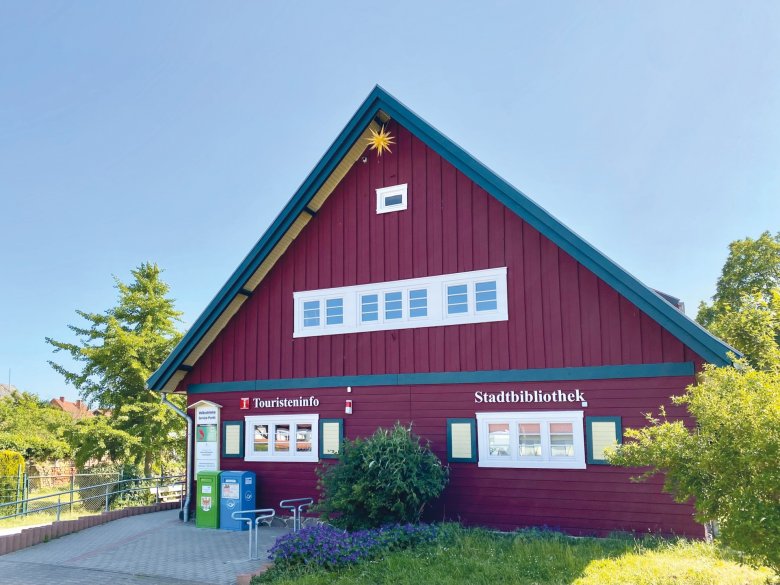
Reading is a window into the world and libraries are the key to opening it.
Whether it’s thrilling novels, inspiring nonfiction, children’s and young adult literature, audiobooks, or digital media—the City Library of the Hanseatic City of Seehausen (Altmark) offers a wide range of opportunities to discover new things and immerse yourself in other worlds. It is a gathering place for young and old, a place to learn, browse, and relax, and an important part of cultural life in our region.
Opening hours
Monday 9:00 a.m. – 4:00 p.m.
Tuesday 9:00 a.m. – 5:00 p.m.
Wednesday 9:00 a.m. – 4:00 p.m.
Thursday 9:00 a.m. – 4:00 p.m.
Friday 9:00 a.m. – 12:00 p.m.
Children and teenagers, in particular, can discover the joy of reading here in a playful way. With age-appropriate materials and programs for young readers, the library supports them as they learn, grow, and explore. Adults, too, can find inspiration, helpful information, and reading material for virtually any interest.
Sustainability Starts with Sharing
Libraries embody sustainability in practice. Instead of having to buy books and other media themselves, many people can take advantage of the same resources. By borrowing, sharing, and reusing these materials, resources are conserved and the lifespan of the media is extended. This saves materials and avoids unnecessary new purchases.
But sustainability means even more than that: making knowledge accessible to everyone, promoting education, and creating a place where people can come together regardless of their age or life circumstances. In this way, the library not only fosters a culture of reading but also strengthens social cohesion in the Altmark region.
A place for all generations
Whether it’s for your first library card, your next vacation read, an exciting journey of discovery with your children, or digital borrowing—a visit is always worthwhile. The Seehausen Public Library invites you to discover the variety of media available, try something new, and experience reading as a way to enrich your daily life.
Stop by, browse, borrow, and share the lasting joy of reading—the Seehausen Public Library looks forward to your visit!
Children and young people up to the age of 18 can use the city library free of charge.