


Hanseatic town of Seehausen (Altmark)
Railroad bridge View towards VGEM Seehausen
Sunrise in Vielbaum with deer in the background
This page has been automatically translated. There may therefore be discrepancies or inaccuracies in the text. Only the original version is binding. Legal claims arising from the content of the translated version are excluded.

Initial housing benefit application can now be submitted online

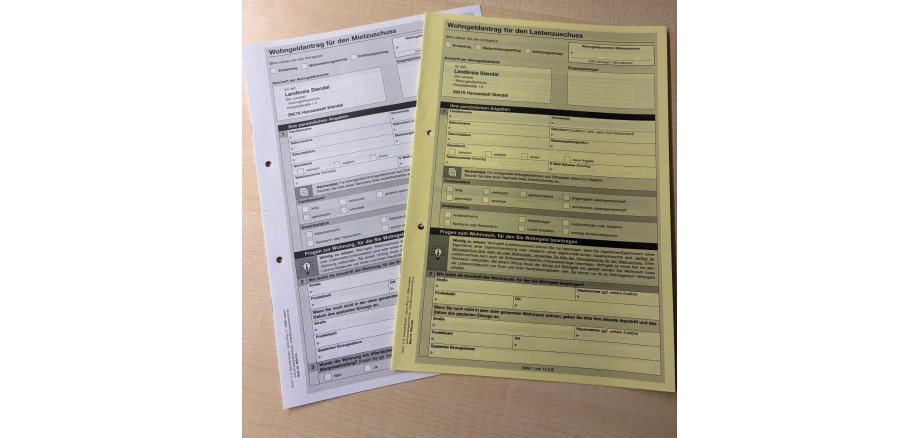
The district of Stendal is now offering another digital service. This makes it possible to easily submit initial applications for rent subsidies and cost subsidies online. The corresponding form can be found on the website at www.landkreis-stendal.de under the "Online Services" button.

"This is a further step towards saving citizens a trip to the administration on the one hand and relieving the burden on the administration on the other," says Patrick Puhlmann. "We are saving financial, time and personnel resources. Given the volume of applications, especially in this area, we hope to shorten the processing time," the district administrator continues.

All relevant information can be entered directly online via the digital platform of the service portal and sent to the responsible office. With this online service, citizens are simply guided through the input mask and any discrepancies are pointed out directly. This also makes it easy to provide additional evidence.

The "Housing benefit" online service is aimed at citizens who want to apply for a rent subsidy or housing allowance for the first time; it does not apply to applications for further grants. The technical requirements for this are still to be clarified by the state of Saxony-Anhalt.

Help with accessibility

  • General

    We endeavor to make our websites accessible. You can find details on this in our accessibility statement. You can send us suggestions for improvement via our feedback form Report accessibility.

  • Font size

    To adjust the font size, please use the following key combinations:

    Larger

    command
    +

    Smaller

    command

    Larger

    Ctrl
    +

    Smaller

    Ctrl
  • Keyboard navigation

    Use TAB and SHIFT + TAB to navigate through next/previous links, form elements and buttons.

    Use ENTER to open links and interact with elements.

  • Contrast mode

    Press the following key combination to reduce or increase the contrast:

    Enlarge

    control
    option
    command
    .

    Decrease

    control
    option
    command
    ,
    Note: The shortcuts must be activated in the system settings of the operating system.

    Press the left ALT key + left SHIFT key + PRINT to quickly switch the high contrast mode on or off.

  • Invert colors

    Press the following key combination to switch color inversion on and off:

    control
    option
    command
    8
    Note: The shortcuts must be activated in the system settings of the operating system.

    First activate the screen magnifier and then switch the color inversion on and off with the following key combinations:

    1. screen magnifier

    +

    2. invert colors

    Ctrl
    Old
    I
  • Screen magnifier

    Press the following key combinations to use the screen magnifier:

    Switch on/off

    option
    command
    8

    Enlarge view

    option
    command
    =

    Reduce view

    option
    command
    Note: The shortcuts must be activated in the system settings of the operating system.

    Switch on / Enlarge view

    +

    Reduce view

Select language