This page has been automatically translated. There may therefore be discrepancies or inaccuracies in the text. Only the original version is binding. Legal claims arising from the content of the translated version are excluded.

875th anniversary of the Hanseatic town of Seehausen (Altmark): Traffic restrictions for the festival weekend

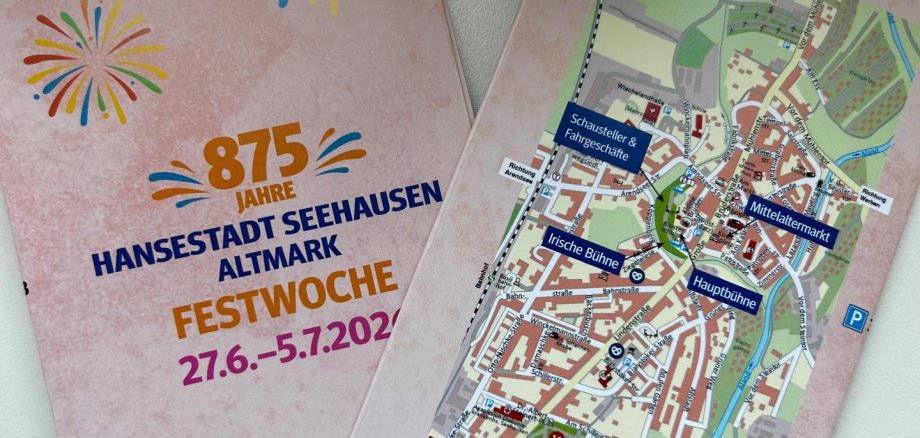
To mark its 875th anniversary, the Hanseatic City of Seehausen will be hosting a major festival weekend from July 3 to 5, 2026. To ensure that the events can take place safely and smoothly, various traffic management measures will be necessary both in the run-up to and during the festival.

Traffic restrictions are therefore to be expected, particularly in the city center. The main roads affected are Große Brüderstraße, Mühlenstraße, Am Markt, Petristraße, Kaland and Arendseer Straße.

In these areas, access for cars and other motorized vehicles will be temporarily restricted or not possible at all. The city council asks residents in particular to prepare for the situation in good time and to use alternative parking options if necessary.

Care services, tradespeople and people with reduced mobility are also asked to take the restrictions into account when making their plans. During the festival weekend, it will probably not be possible to drive through the areas mentioned.

The Hanseatic town of Seehausen (Altmark) would like to thank all those affected for their understanding, patience and consideration. Together, everyone is helping to make the town's anniversary a successful celebration for residents, guests and visitors.

Further information on road closures and traffic regulations will be announced in good time.

Help with accessibility

  • General

    We endeavor to make our websites accessible. You can find details on this in our accessibility statement. You can send us suggestions for improvement via our feedback form Report accessibility.

  • Font size

    To adjust the font size, please use the following key combinations:

    Larger

    command
    +

    Smaller

    command

    Larger

    Ctrl
    +

    Smaller

    Ctrl
  • Keyboard navigation

    Use TAB and SHIFT + TAB to navigate through next/previous links, form elements and buttons.

    Use ENTER to open links and interact with elements.

  • Contrast mode

    Press the following key combination to reduce or increase the contrast:

    Enlarge

    control
    option
    command
    .

    Decrease

    control
    option
    command
    ,
    Note: The shortcuts must be activated in the system settings of the operating system.

    Press the left ALT key + left SHIFT key + PRINT to quickly switch the high contrast mode on or off.

  • Invert colors

    Press the following key combination to switch color inversion on and off:

    control
    option
    command
    8
    Note: The shortcuts must be activated in the system settings of the operating system.

    First activate the screen magnifier and then switch the color inversion on and off with the following key combinations:

    1. screen magnifier

    +

    2. invert colors

    Ctrl
    Old
    I
  • Screen magnifier

    Press the following key combinations to use the screen magnifier:

    Switch on/off

    option
    command
    8

    Enlarge view

    option
    command
    =

    Reduce view

    option
    command
    Note: The shortcuts must be activated in the system settings of the operating system.

    Switch on / Enlarge view

    +

    Reduce view

Select language