This page has been automatically translated. There may therefore be discrepancies or inaccuracies in the text. Only the original version is binding. Legal claims arising from the content of the translated version are excluded.

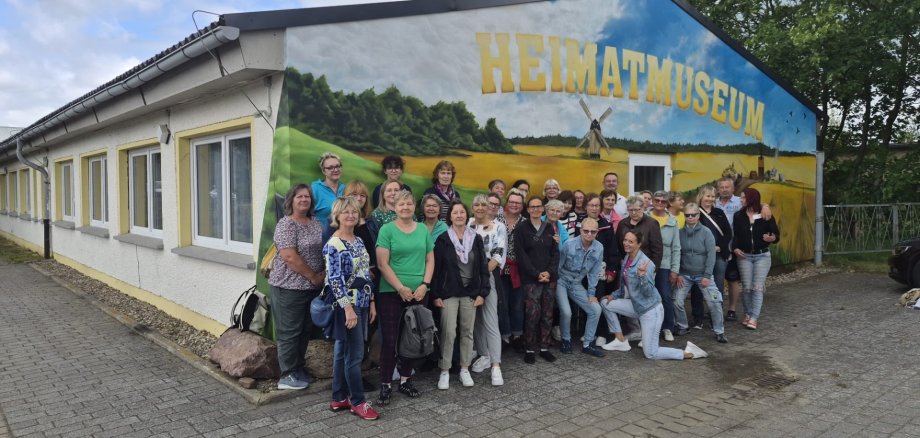
Visitors from Halle at the Bretsch Local History Museum

During the tour, numerous interesting conversations arose about the lives of past generations, the history of our region, and the significance of the exhibits on display. The consistently positive feedback from visitors was particularly gratifying.

For our local museum, visits like these are a significant affirmation of the volunteer work we do. They show that even a small organization can make a valuable contribution to preserving regional history through dedication, passion, and countless hours of volunteer work.

The high regard in which our guests hold us inspires us to continue developing the museum, to implement new ideas, and to remain an attractive place for gathering and remembrance in the years to come.

The Bretsch Local History Society would like to express its sincere thanks for your visit and looks forward to welcoming many more guests from near and far.

By the way, you can also find us on Instagram: heimatverein_bretsch 

We love having followers!

Help with accessibility

  • General

    We endeavor to make our websites accessible. You can find details on this in our accessibility statement. You can send us suggestions for improvement via our feedback form Report accessibility.

  • Font size

    To adjust the font size, please use the following key combinations:

    Larger

    command
    +

    Smaller

    command

    Larger

    Ctrl
    +

    Smaller

    Ctrl
  • Keyboard navigation

    Use TAB and SHIFT + TAB to navigate through next/previous links, form elements and buttons.

    Use ENTER to open links and interact with elements.

  • Contrast mode

    Press the following key combination to reduce or increase the contrast:

    Enlarge

    control
    option
    command
    .

    Decrease

    control
    option
    command
    ,
    Note: The shortcuts must be activated in the system settings of the operating system.

    Press the left ALT key + left SHIFT key + PRINT to quickly switch the high contrast mode on or off.

  • Invert colors

    Press the following key combination to switch color inversion on and off:

    control
    option
    command
    8
    Note: The shortcuts must be activated in the system settings of the operating system.

    First activate the screen magnifier and then switch the color inversion on and off with the following key combinations:

    1. screen magnifier

    +

    2. invert colors

    Ctrl
    Old
    I
  • Screen magnifier

    Press the following key combinations to use the screen magnifier:

    Switch on/off

    option
    command
    8

    Enlarge view

    option
    command
    =

    Reduce view

    option
    command
    Note: The shortcuts must be activated in the system settings of the operating system.

    Switch on / Enlarge view

    +

    Reduce view

Select language