This page has been automatically translated. There may therefore be discrepancies or inaccuracies in the text. Only the original version is binding. Legal claims arising from the content of the translated version are excluded.

Funding for the construction of a new school cafeteria in Seehausen

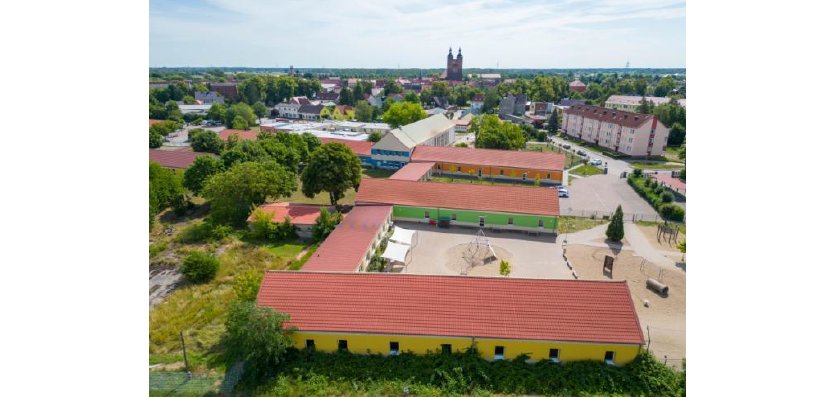
The Seehausen (Altmark) municipal association has taken an important step toward further improving school and after-school care: At the beginning of the year, the grant approval notice for the construction of a new cafeteria on the grounds of the “Dr. Albert Steinert” elementary school and after-school care center in Seehausen was presented.

The project is receiving approximately 817,600 euros in funding as part of the federal “Ganztagsbetreuung II” program (2023–2027). The funding covers 70 percent of the total eligible expenses.

The new building is intended to bring about a lasting improvement in lunch services for elementary school and after-school care students. At the same time, this initiative lays the groundwork for the further development and sustainability of a full-day program that meets the needs of the students.

The municipal association aims to take on greater responsibility for organizing meals for the children in the future. Balanced yet affordable meals are an important part of everyday life at school and after-school care. The new cafeteria will provide the necessary conditions to offer the children a fresh, child-friendly lunch every day.

In addition, the kitchen will be designed so that, in the future, it can also serve other facilities in the immediate vicinity. This will create a sustainable and future-proof solution for providing meals to children in the Seehausen (Altmark) municipal association.

Help with accessibility

  • General

    We endeavor to make our websites accessible. You can find details on this in our accessibility statement. You can send us suggestions for improvement via our feedback form Report accessibility.

  • Font size

    To adjust the font size, please use the following key combinations:

    Larger

    command
    +

    Smaller

    command

    Larger

    Ctrl
    +

    Smaller

    Ctrl
  • Keyboard navigation

    Use TAB and SHIFT + TAB to navigate through next/previous links, form elements and buttons.

    Use ENTER to open links and interact with elements.

  • Contrast mode

    Press the following key combination to reduce or increase the contrast:

    Enlarge

    control
    option
    command
    .

    Decrease

    control
    option
    command
    ,
    Note: The shortcuts must be activated in the system settings of the operating system.

    Press the left ALT key + left SHIFT key + PRINT to quickly switch the high contrast mode on or off.

  • Invert colors

    Press the following key combination to switch color inversion on and off:

    control
    option
    command
    8
    Note: The shortcuts must be activated in the system settings of the operating system.

    First activate the screen magnifier and then switch the color inversion on and off with the following key combinations:

    1. screen magnifier

    +

    2. invert colors

    Ctrl
    Old
    I
  • Screen magnifier

    Press the following key combinations to use the screen magnifier:

    Switch on/off

    option
    command
    8

    Enlarge view

    option
    command
    =

    Reduce view

    option
    command
    Note: The shortcuts must be activated in the system settings of the operating system.

    Switch on / Enlarge view

    +

    Reduce view

Select language