This page has been automatically translated. There may therefore be discrepancies or inaccuracies in the text. Only the original version is binding. Legal claims arising from the content of the translated version are excluded.

The Seehausen (Altmark) Municipal Association—Always There

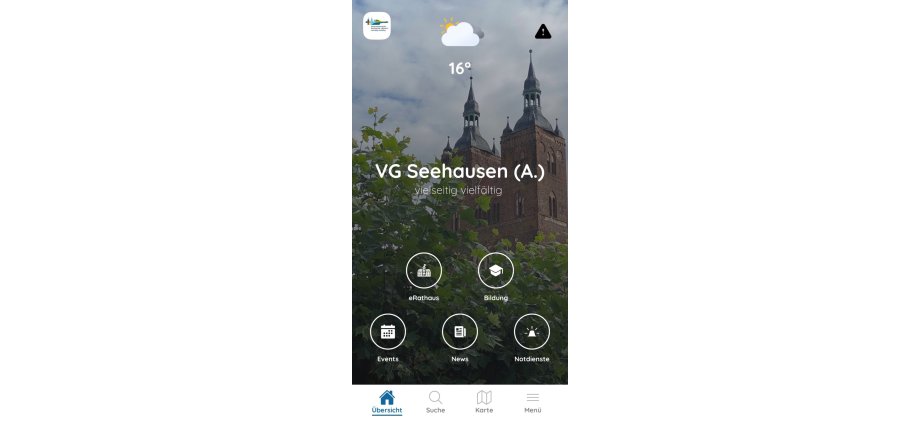
With the Seehausen (Altmark) Municipal Association app, you can quickly and easily access important information and digital services at any time.

The app brings together a wide range of services in one place: the latest news, alerts, events, weather information, and emergency services are all available, as are the trash collection schedule and access to eRathaus.

In addition, users can find information about educational programs and important locations, take part in surveys, or use the built-in search and map view to search specifically for information and services within the municipality.

The app provides easy digital access to the municipality—whether you're at home or on the go.

VG Seehausen (A.) – versatile. diverse.

Appel App Store: https://apps.apple.com/de/app/vg-seehausen-a/id6755887214



Play Store: https://play.google.com/store/apps/details?id=de.diefredapp.seehausenaltmark



Help with accessibility

  • General

    We endeavor to make our websites accessible. You can find details on this in our accessibility statement. You can send us suggestions for improvement via our feedback form Report accessibility.

  • Font size

    To adjust the font size, please use the following key combinations:

    Larger

    command
    +

    Smaller

    command

    Larger

    Ctrl
    +

    Smaller

    Ctrl
  • Keyboard navigation

    Use TAB and SHIFT + TAB to navigate through next/previous links, form elements and buttons.

    Use ENTER to open links and interact with elements.

  • Contrast mode

    Press the following key combination to reduce or increase the contrast:

    Enlarge

    control
    option
    command
    .

    Decrease

    control
    option
    command
    ,
    Note: The shortcuts must be activated in the system settings of the operating system.

    Press the left ALT key + left SHIFT key + PRINT to quickly switch the high contrast mode on or off.

  • Invert colors

    Press the following key combination to switch color inversion on and off:

    control
    option
    command
    8
    Note: The shortcuts must be activated in the system settings of the operating system.

    First activate the screen magnifier and then switch the color inversion on and off with the following key combinations:

    1. screen magnifier

    +

    2. invert colors

    Ctrl
    Old
    I
  • Screen magnifier

    Press the following key combinations to use the screen magnifier:

    Switch on/off

    option
    command
    8

    Enlarge view

    option
    command
    =

    Reduce view

    option
    command
    Note: The shortcuts must be activated in the system settings of the operating system.

    Switch on / Enlarge view

    +

    Reduce view

Select language