This page has been automatically translated. There may therefore be discrepancies or inaccuracies in the text. Only the original version is binding. Legal claims arising from the content of the translated version are excluded.

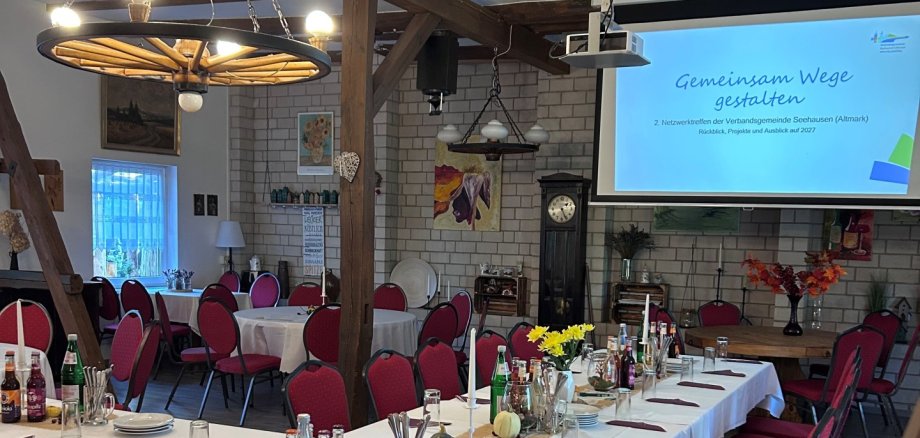
Visiting Friends – 2nd Networking Meeting of the Seehausen (Altmark) Municipal Association

The evening was marked by an open exchange of ideas, new insights, and a shared desire to actively promote the region's tourism development.

The meeting centered on the belief that successful tourism development depends above all on cooperation among regional stakeholders. This is because visitors perceive a region as a whole—from accommodations and dining to biking and hiking trails, cultural offerings, and events.

Those who are familiar with what others have to offer can make targeted recommendations and provide guests with a wide variety of experiences. Under the guiding principle “Staying with Friends,” the goal is therefore not only to practice hospitality toward guests, but also to foster mutual understanding and support within the network.

There was also plenty of opportunity for discussion among the participants. Together, they brainstormed ideas, addressed challenges, and discussed new opportunities for collaboration. In the process, it became clear how important it is to get to know one another, share information, and link existing programs.

The network meeting once again demonstrated the wealth of dedication, knowledge, and potential that exists in the region. The Seehausen Municipal Association would like to continue this exchange, strengthen existing contacts, and involve additional stakeholders. Interested businesses, clubs, and organizations that have not yet participated in the network are warmly invited to join in the future.

After all, a vibrant tourism region emerges where people work together, support one another, and develop shared ideas.

Help with accessibility

  • General

    We endeavor to make our websites accessible. You can find details on this in our accessibility statement. You can send us suggestions for improvement via our feedback form Report accessibility.

  • Font size

    To adjust the font size, please use the following key combinations:

    Larger

    ⌘command
    +

    Smaller

    ⌘command
    –

    Larger

    Ctrl
    +

    Smaller

    Ctrl
    –
  • Keyboard navigation

    Use TAB and SHIFT + TAB to navigate through next/previous links, form elements and buttons.

    Use ENTER to open links and interact with elements.

  • Contrast mode

    Press the following key combination to reduce or increase the contrast:

    Enlarge

    ⌃control
    ⌥option
    ⌘command
    .

    Decrease

    ⌃control
    ⌥option
    ⌘command
    ,
    Note: The shortcuts must be activated in the system settings of the operating system.

    Press the left ALT key + left SHIFT key + PRINT to quickly switch the high contrast mode on or off.

  • Invert colors

    Press the following key combination to switch color inversion on and off:

    ⌃control
    ⌥option
    ⌘command
    8
    Note: The shortcuts must be activated in the system settings of the operating system.

    First activate the screen magnifier and then switch the color inversion on and off with the following key combinations:

    1. screen magnifier

    +

    2. invert colors

    Ctrl
    Old
    I
  • Screen magnifier

    Press the following key combinations to use the screen magnifier:

    Switch on/off

    ⌥option
    ⌘command
    8

    Enlarge view

    ⌥option
    ⌘command
    =

    Reduce view

    ⌥option
    ⌘command
    –
    Note: The shortcuts must be activated in the system settings of the operating system.

    Switch on / Enlarge view

    +

    Reduce view

    –

Select language