This page has been automatically translated. There may therefore be discrepancies or inaccuracies in the text. Only the original version is binding. Legal claims arising from the content of the translated version are excluded.

"Medicine in Dialogue"

The next “Medicine in Dialogue” event will take place on Wednesday, June 24, 2026, from 5:00 to 6:00 p.m. at Seehausen Hospital.

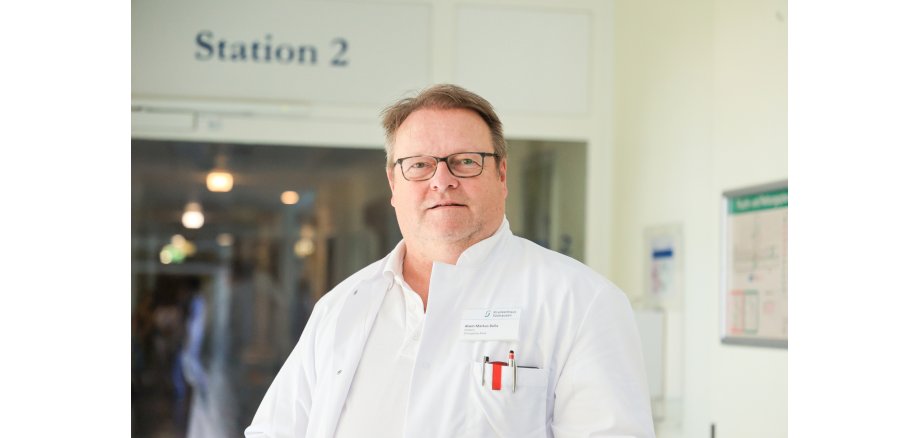
This time, the topic will be “Artificial Joints—What’s Possible?” The speaker is Alwin M. Bulla, Chief of Surgery. The event will take place in the training rooms behind Ward 2.

Due to wear and tear or an unfortunate bone fracture, a joint’s function can be so severely impaired or destroyed that normal mobility—or, for example, walking—is no longer pain-free or is no longer possible at all. In such cases, the surgeon turns to an artificial joint: an endoprosthesis. At this event, we will present the various options for joint replacement, along with their advantages and disadvantages. Using numerous examples, we will explain what is possible and where the limitations lie.

A week later, on Wednesday, July 1, 2026, the hospital will host the same lecture on “Artificial Joints” at the community center in Osterburg. The lecture there will begin at 3:30 p.m. and end at 4:30 p.m.

Registration is not required for either event.


Help with accessibility

  • General

    We endeavor to make our websites accessible. You can find details on this in our accessibility statement. You can send us suggestions for improvement via our feedback form Report accessibility.

  • Font size

    To adjust the font size, please use the following key combinations:

    Larger

    command
    +

    Smaller

    command

    Larger

    Ctrl
    +

    Smaller

    Ctrl
  • Keyboard navigation

    Use TAB and SHIFT + TAB to navigate through next/previous links, form elements and buttons.

    Use ENTER to open links and interact with elements.

  • Contrast mode

    Press the following key combination to reduce or increase the contrast:

    Enlarge

    control
    option
    command
    .

    Decrease

    control
    option
    command
    ,
    Note: The shortcuts must be activated in the system settings of the operating system.

    Press the left ALT key + left SHIFT key + PRINT to quickly switch the high contrast mode on or off.

  • Invert colors

    Press the following key combination to switch color inversion on and off:

    control
    option
    command
    8
    Note: The shortcuts must be activated in the system settings of the operating system.

    First activate the screen magnifier and then switch the color inversion on and off with the following key combinations:

    1. screen magnifier

    +

    2. invert colors

    Ctrl
    Old
    I
  • Screen magnifier

    Press the following key combinations to use the screen magnifier:

    Switch on/off

    option
    command
    8

    Enlarge view

    option
    command
    =

    Reduce view

    option
    command
    Note: The shortcuts must be activated in the system settings of the operating system.

    Switch on / Enlarge view

    +

    Reduce view

Select language