This page has been automatically translated. There may therefore be discrepancies or inaccuracies in the text. Only the original version is binding. Legal claims arising from the content of the translated version are excluded.

Event Announcement

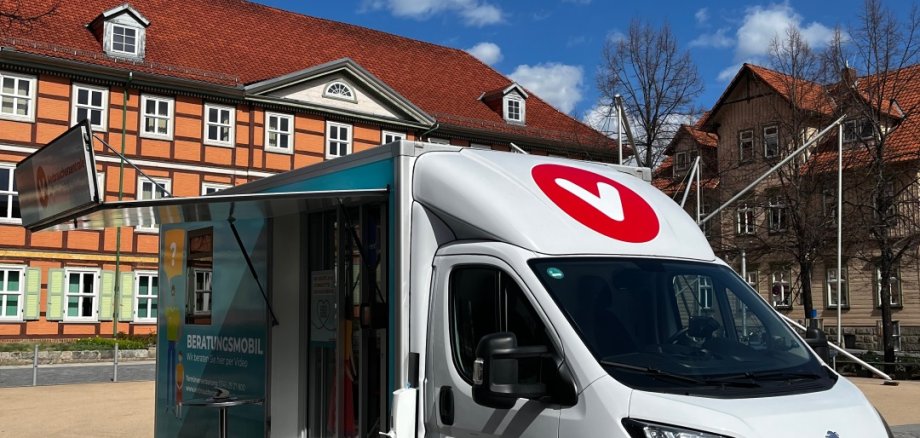
The Consumer Advice Center uses its digitally equipped mobile unit to regularly visit areas in Saxony-Anhalt where there is no permanent consumer advice office. People seeking advice are greeted by a staff member in the mobile unit and then connected via video chat to a specialist advisor from the Consumer Advice Center. Advice is provided on a wide range of consumer issues, including contracts and complaints, enforcing consumer rights against tradespeople, manufacturers, and service providers, as well as questions and problems related to financial products such as loans and insurance.

Location of the mobile counseling unit:

August-Hillige-Platz, 39606 Osterburg

When?

On August 27, 2026, and October 22, 2026; please make an appointment in advance by calling 03452927800 or emailing www.verbraucherzentrale-sachsen-anhalt.de.
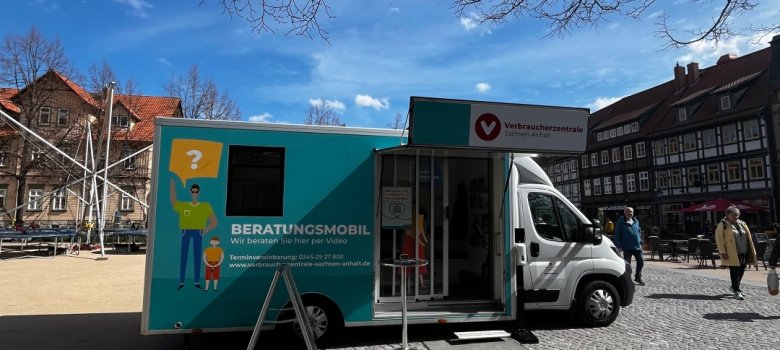
Consumer Center's Mobile Counseling Unit at the Marketplace
Consumer Center's Mobile Counseling Unit

For more information:

- Mr. Steffen Friedrich, Beratungsmobil

T. +49 151 29157 089, friedrich@vzsa.de


Help with accessibility

  • General

    We endeavor to make our websites accessible. You can find details on this in our accessibility statement. You can send us suggestions for improvement via our feedback form Report accessibility.

  • Font size

    To adjust the font size, please use the following key combinations:

    Larger

    command
    +

    Smaller

    command

    Larger

    Ctrl
    +

    Smaller

    Ctrl
  • Keyboard navigation

    Use TAB and SHIFT + TAB to navigate through next/previous links, form elements and buttons.

    Use ENTER to open links and interact with elements.

  • Contrast mode

    Press the following key combination to reduce or increase the contrast:

    Enlarge

    control
    option
    command
    .

    Decrease

    control
    option
    command
    ,
    Note: The shortcuts must be activated in the system settings of the operating system.

    Press the left ALT key + left SHIFT key + PRINT to quickly switch the high contrast mode on or off.

  • Invert colors

    Press the following key combination to switch color inversion on and off:

    control
    option
    command
    8
    Note: The shortcuts must be activated in the system settings of the operating system.

    First activate the screen magnifier and then switch the color inversion on and off with the following key combinations:

    1. screen magnifier

    +

    2. invert colors

    Ctrl
    Old
    I
  • Screen magnifier

    Press the following key combinations to use the screen magnifier:

    Switch on/off

    option
    command
    8

    Enlarge view

    option
    command
    =

    Reduce view

    option
    command
    Note: The shortcuts must be activated in the system settings of the operating system.

    Switch on / Enlarge view

    +

    Reduce view

Select language