This page has been automatically translated. There may therefore be discrepancies or inaccuracies in the text. Only the original version is binding. Legal claims arising from the content of the translated version are excluded.

The Friends Association has already invested over 400,000 euros

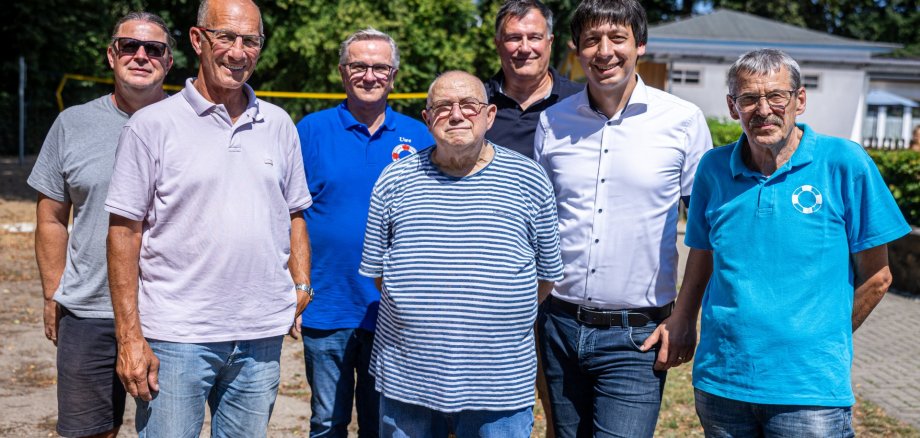
“A lot has changed,” Puhlmann remarked right away. During a brief tour, visitors could admire historical photographs and see a new building housing the completely new filtration technology. “Now we have the best water quality,” explained Frank Möller of the Wittenberg Baths. The Friends of the Pool Association, with its 100 or so members, actively supported the construction project. As a result, the decision was made not to build a construction road across the pool grounds, since the volunteers would have to painstakingly remove any ruts afterward.

For the club members, the reward lies in the popularity of the Waldbad. Most recently, over 700 guests visited in a single day to swim laps or simply play in the water and enjoy the summer. “It’s a classic swimming pool. You don’t find a 50-meter lane just anywhere,” Fiedler said proudly, before presenting Puhlmann with the next project: Since there used to be a diving tower, they now plan to rebuild one.

Since the association was founded in 2012, the Friends of the Waldbad have invested approximately 400,000 euros in the Waldbad, both in cash and through volunteer work. “Of course, this is only possible thanks to the generous support from associations, businesses, and residents of Seehausen and the surrounding area,” Walter Fiedler proudly emphasized. The district administrator was also impressed by this and wished the association every success with its future projects.
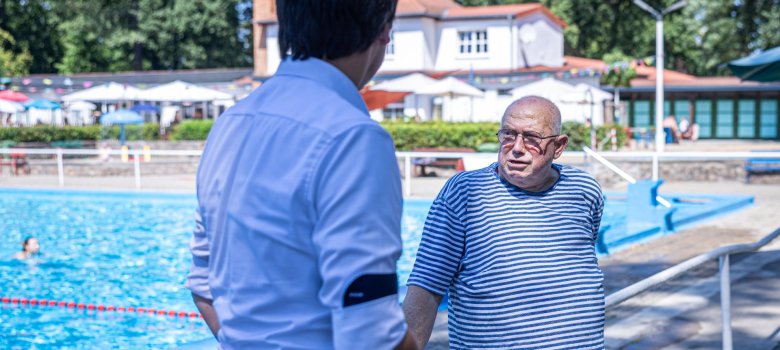
Walter Fiedler (right) explains the next project to the county administrator: a diving platform
Walter Fiedler (right) explains the next project to the county administrator: a diving platform.

Help with accessibility

  • General

    We endeavor to make our websites accessible. You can find details on this in our accessibility statement. You can send us suggestions for improvement via our feedback form Report accessibility.

  • Font size

    To adjust the font size, please use the following key combinations:

    Larger

    command
    +

    Smaller

    command

    Larger

    Ctrl
    +

    Smaller

    Ctrl
  • Keyboard navigation

    Use TAB and SHIFT + TAB to navigate through next/previous links, form elements and buttons.

    Use ENTER to open links and interact with elements.

  • Contrast mode

    Press the following key combination to reduce or increase the contrast:

    Enlarge

    control
    option
    command
    .

    Decrease

    control
    option
    command
    ,
    Note: The shortcuts must be activated in the system settings of the operating system.

    Press the left ALT key + left SHIFT key + PRINT to quickly switch the high contrast mode on or off.

  • Invert colors

    Press the following key combination to switch color inversion on and off:

    control
    option
    command
    8
    Note: The shortcuts must be activated in the system settings of the operating system.

    First activate the screen magnifier and then switch the color inversion on and off with the following key combinations:

    1. screen magnifier

    +

    2. invert colors

    Ctrl
    Old
    I
  • Screen magnifier

    Press the following key combinations to use the screen magnifier:

    Switch on/off

    option
    command
    8

    Enlarge view

    option
    command
    =

    Reduce view

    option
    command
    Note: The shortcuts must be activated in the system settings of the operating system.

    Switch on / Enlarge view

    +

    Reduce view

Select language