With the goal of learn about the barriers people with disabilities face in everyday life and, at the same time, gain insight into the diverse field of therapeutic care, 15 ninth-graders from Seehausen Comprehensive School spent a project day on Wednesday at the Diakonie’s special education facility, focusing on inclusion and participation. The “Barrier-Free Seehausen” interest group led by Birgit Hartmann and the Local Participation Management (ÖTHM) in the Stendal district organized this event for the second time in the Hanseatic city.
In a final reflection session, the students shared their impressions of the project. “At first, it was fun to use the wheelchair. But when I imagine having to rely on it permanently, I realize just how many obstacles there are,” said one student. A classmate added, “With a visual impairment, you rely on support in many situations. I wasn’t aware of that before. When I encounter people with disabilities in the future, I’ll be more attentive and offer my help.”
But let’s start from the beginning: To kick things off, the ÖTHM used a quiz to convey information about visual, hearing, and mobility impairments in a fun and engaging way. Hartmann then introduced the special education facility where people with intellectual and multiple disabilities live and receive support. Next, Reiko Lühe, vice chair of the Altmark Association for the Deaf, gave the students an insight into Deaf culture. With great patience, he introduced them to the finger alphabet and basic sign language. It quickly became clear that spelling out one’s own name is quite challenging without practice.
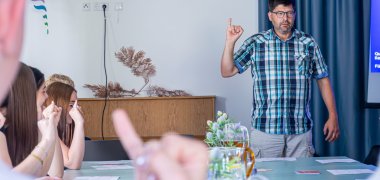
In addition to the finger alphabet, the young people also learned basic signs, such as those for family members or place names.
In the next part of the program, Annemarie Kock from the Supplementary Independent Participation Counseling Service (EUTB) shared interesting facts about blindness. She introduced various assistive devices, such as the white cane, and explained Braille using a Braille display. As a special memento, everyone received their own name written in Braille.
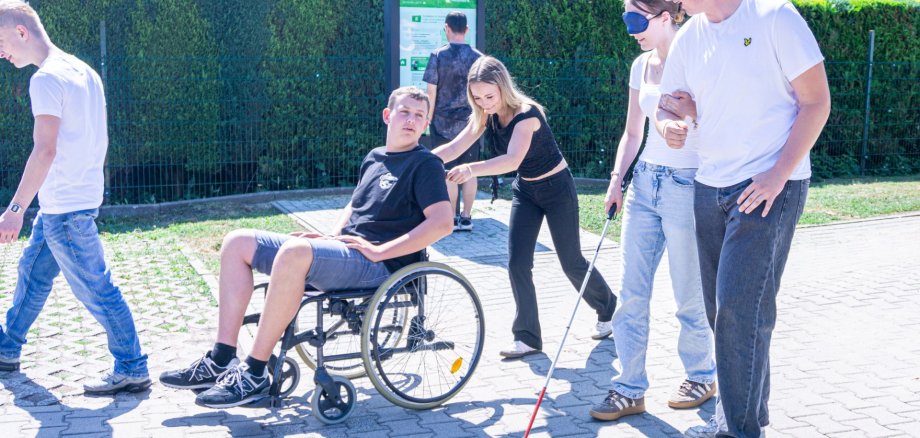
The young people were then able to apply what they had learned in a practical obstacle course set up in front of the special education facility. Equipped with simulation goggles or sleep masks and white canes, they navigated an obstacle course. Wheelchairs were also used. Gino Thiede from the “Barrier-Free Seehausen” advocacy group, who uses a wheelchair himself, provided practical tips and supervised the exercises.
The residents of the special education facility initially watched the proceedings closely, but later took part in the obstacle course themselves. A lively exchange quickly developed between them and the students, during which many questions were asked.
This was followed by a tour of Seehausen. During the tour, the young people assessed the town’s accessibility. In particular, curbs that were not low enough made it difficult to get around in a wheelchair. The participants, wearing sleep masks, also learned how important trust and orientation aids are in the daily lives of blind people. The largely accessible design of the Seehausen Tourist Information Center and City Library was highlighted as a positive feature.
All in all, the project day demonstrated how important hands-on experience and personal interactions are for developing an understanding of the realities of life for people with disabilities. At the same time, the young people gained insight into the role of therapeutic care and the importance of inclusive participation in everyday life.