This page has been automatically translated. There may therefore be discrepancies or inaccuracies in the text. Only the original version is binding. Legal claims arising from the content of the translated version are excluded.

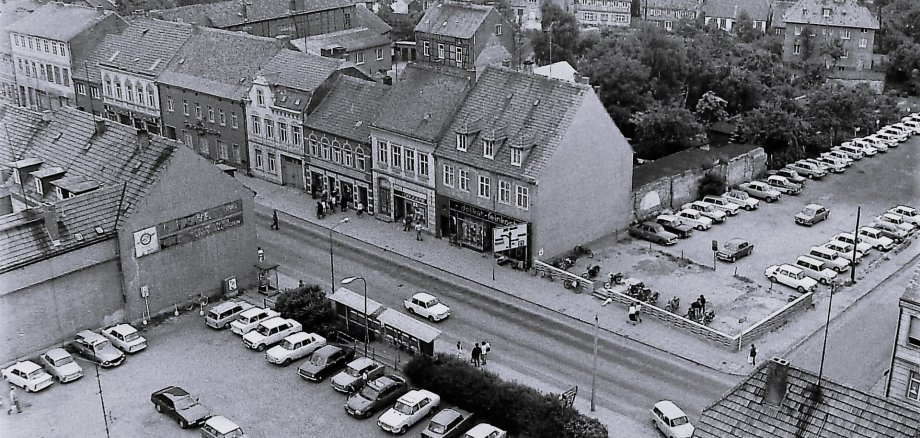
“Views of Osterburg’s Streets—Then and Now”—

The District Museum now invites visitors to experience the changing times in the Hanseatic city of Osterburg. The new 2027 calendar is titled “Views of Osterburg’s Streets—Then and Now.” It is based on the exhibition of the same name, which is on view through August 16 at the museum located at Platz des Friedens 3 (39606 Hanseatic City of Osterburg). Priced at 22.90 euros, the calendar is available at the Osterburg District Museum and at the office supply store Engels (Breite Straße 11).
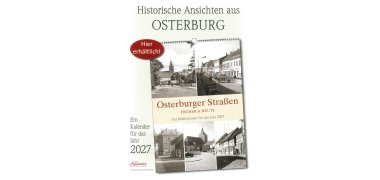
Poster
Poster


“For the exhibition and calendar, some historical views were rephotographed specifically from the same perspective,” explains Florian Fischer. “This creates fascinating ‘aha’ moments that make the many changes—right up to the present—visible,” says the director of the Osterburg District Museum. The images and information were produced, compiled, and scientifically documented by him and his team in collaboration with the two local historians, Lothar Müller and Jörg Gerber.

In addition to the pairs of images, the calendar features interesting facts about Osterburg’s history. For example, as late as 1780, the Great Market was still called “Rademarckt” and served as a venue for livestock and annual fairs. Today’s Breite Straße—once part of the important trade route from Magdeburg to the Baltic Sea—was settled by Rhineland and Saxon settlers starting in 1170. And on a map from 1780, Kirchstraße still consisted of four separate sections, each with its own name: “Schöppenstuhl,” “Am Kirch Hofe,” “Spangenstraße,” and “Dammstraße.”

The Osterburg County Museum is open Tuesday through Friday from 1:00 p.m. to 4:00 p.m. and on Sundays from 2:00 p.m. to 5:00 p.m. It is accessible via the inner courtyard.

Help with accessibility

  • General

    We endeavor to make our websites accessible. You can find details on this in our accessibility statement. You can send us suggestions for improvement via our feedback form Report accessibility.

  • Font size

    To adjust the font size, please use the following key combinations:

    Larger

    command
    +

    Smaller

    command

    Larger

    Ctrl
    +

    Smaller

    Ctrl
  • Keyboard navigation

    Use TAB and SHIFT + TAB to navigate through next/previous links, form elements and buttons.

    Use ENTER to open links and interact with elements.

  • Contrast mode

    Press the following key combination to reduce or increase the contrast:

    Enlarge

    control
    option
    command
    .

    Decrease

    control
    option
    command
    ,
    Note: The shortcuts must be activated in the system settings of the operating system.

    Press the left ALT key + left SHIFT key + PRINT to quickly switch the high contrast mode on or off.

  • Invert colors

    Press the following key combination to switch color inversion on and off:

    control
    option
    command
    8
    Note: The shortcuts must be activated in the system settings of the operating system.

    First activate the screen magnifier and then switch the color inversion on and off with the following key combinations:

    1. screen magnifier

    +

    2. invert colors

    Ctrl
    Old
    I
  • Screen magnifier

    Press the following key combinations to use the screen magnifier:

    Switch on/off

    option
    command
    8

    Enlarge view

    option
    command
    =

    Reduce view

    option
    command
    Note: The shortcuts must be activated in the system settings of the operating system.

    Switch on / Enlarge view

    +

    Reduce view

Select language